

Your production line just went down. Again.
By the time your data team pulls the report, investigates the root cause, and delivers insights, you’ve lost $70,000 in downtime. Meanwhile, your competitors are making real-time decisions that keep their operations running smoothly.
Dashboards and reports from legacy systems have been unable to solve this problem because they answer yesterday’s questions instead of the ones you are facing right now.
You need a fundamentally different approach.
That’s where manufacturing data analytics software comes in. They solve this problem by giving you instant answers about production efficiency, quality control, and supply chain bottlenecks.
In this article, we’ll rank the top platforms, explain what separates analytics agents from legacy BI tools, and show you how to choose the right solution for your manufacturing operations.
TL;DR – Top 5 Manufacturing Data Analytics Software
Here’s a quick comparison of the leading platforms we’ll explore in detail in the article:
| Software | Type | Key Features | Best Use Cases |
|---|---|---|---|
| Zenlytic | Analytics Agent | AI data analyst (Zoë), natural language queries, explainable AI, automated semantic layer | Complex exploratory analysis, empowering non-technical teams, deep-dive investigations |
| Tableau | Legacy BI | Visual dashboards, drag-and-drop interface, extensive integrations | Pre-built dashboard creation, visual reporting |
| Power BI | Legacy BI | Microsoft ecosystem integration, real-time dashboards, collaboration tools | Teams already using Microsoft tools, departmental reporting |
| Sisense | Legacy BI | Embedded analytics, data mashup capabilities, white-label options | Custom analytics for products, multi-source data combining |
| Domo | Legacy BI | Cloud-based platform, mobile access, automated alerts | Executive dashboards, mobile workforce monitoring |
We’ll break down each platform’s strengths and ideal manufacturing scenarios below.
Before we do, let’s tackle the first things first.
What is Manufacturing Data Analytics Software?
Manufacturing data analytics software is a technological solution that helps you turn raw production data from various manufacturing processes into actionable insights.
Unlike spreadsheets or manual reports, these platforms connect directly to your data warehouse and let you analyze everything from machine performance to inventory levels in one place.
The challenge is that traditional manufacturing BI software forces you to choose between two bad options.
Either you build static dashboards that answer yesterday’s questions, or you queue up with everyone else waiting for the data team to run custom queries.
Neither approach works when you need to investigate why defect rates spiked on Line 3 or which supplier is causing the most quality issues.
The best modern manufacturing analytics platforms take a different approach. They act as analytics agents, serving as your personal data analyst, answering questions in plain English and explaining their reasoning.
For example, an agentic data analytics platform may handle complex SQL queries, merge multiple data sources, and show you exactly how it calculated each metric.
Why Manufacturing Analytics Software Matters
Like most manufacturers, you deal with messy data from multiple plants, machines, and quality checks. These data systems don’t line up on their own.
Analytics software pulls the data together so your teams can spot issues quickly and act before small problems turn into costly ones.
Here’s why you can’t afford to skip manufacturing analytics software:
- Faster Decision Velocity: Production managers make dozens of decisions daily. Waiting three days for a data team to investigate a quality issue means lost revenue and compounding problems. Real-time manufacturing analytics software gives you answers while there’s still time to act.
- Reduced Data Team Bottleneck: Your data analysts spend most of their time answering repetitive questions about production metrics instead of building predictive models. Analytics agents eliminate these ad hoc requests so your technical teams focus on strategic projects.
- Questions Actually Get Asked: Most plant managers have dozens of data questions they never ask because they don’t want to bother the data team or spend hours digging through Excel. Self-serve analytics means those questions finally get answered, revealing insights that were always hiding in your data.

Essential Features of a Manufacturing Data Analytics Tool
To understand what sets effective manufacturing tools apart, let’s examine the capabilities that actually make them useful:
- Natural Language Interface: Your non-data team members can type or speak their data questions like they’re talking to a colleague. “Show me downtime by machine for Q4” should work without learning SQL or clicking through a dozen menus.
- Explainable Results: The platform must show you how it calculated every number. A black-box AI system that spits out answers you can’t verify creates more problems than it solves. You’ll want to use tools that break down their logic step by step since explainability builds user trust in AI data analytics.
- Automated Semantic Layer: Your metrics need consistent definitions across every report and query. When someone asks for “defect rate”, everyone should get the same calculation. Advanced manufacturing analytics platforms handle this automatically without requiring months of upfront modeling work.
- Deep Exploratory Capabilities: Dashboards show you what happened, while analytics agents let you ask why. The best platforms handle follow-up questions like “Break that down by shift” or “Compare this plant to our other facilities” without necessarily having to rebuild reports.
- Enterprise Security: Row-level permissions ensure each user only sees the data they’re authorized to access. For instance, your plant managers in Texas shouldn’t have access to confidential data from your European operations.
- Manufacturing-Specific Elements: Data analytics tools should support production-line traceability, machine-level sensor data, and multi-plant data comparisons. These capabilities enable you to track root-cause issues, benchmark facilities, and monitor equipment performance at scale.
Top 5 Manufacturing Data Analytics Tools
Based on the essential features we just covered, let’s see how the leading platforms stack up for manufacturing operations.
Each tool below takes a different approach to analytics. While some excel at visualization and others at data governance, one stands out for answering the complex questions that actually drive manufacturing decisions.
1. Zenlytic
Zenlytic is an analytics agent platform that enables everyone in an organization to ask business or data questions in natural language and get actionable insights from data.
Most manufacturing teams drown in questions that dashboards can’t answer, but our tool goes beyond dashboard queries.
With the software, you can have answers from multiple data sources and understand the business context much better.
Our platform can even explain the reasoning behind every number or figure where the answer involves a calculation.
Zoë, the AI data analyst built into Zenlytic, handles questions like “Which suppliers have the highest defect correlation across our five plants?”
Here’s how our software works for manufacturers:
- Natural Language Querying: Your non-data staff members can ask questions in natural language on Zoë.
- Explaining Answers: Zoë composes the SQL query, pulls data from your warehouse (such as Snowflake, BigQuery, Databricks, or Redshift), and explains every step of her analysis. Let’s say your quality engineers ask about defect patterns. They can get full data lineage, including exactly which production batches, inspection records, and supplier data were used to produce the answer.
- Consistency Through Continuous Learning: Our Clarity Engine automatically builds a semantic layer as your team asks questions. You don’t need to spend six months modeling every possible metric before getting value.
Here’s why manufacturing teams choose our platform:
- Production managers get answers in seconds instead of waiting days for the data team to answer questions.
- Plant supervisors without SQL knowledge can investigate quality issues independently.
- Data teams stop drowning in ad hoc requests and focus on predictive maintenance models or supply chain optimization.
Let’s check this out with a quick scenario.
A quality manager notices higher scrap rates and asks Zoë to compare the current week’s performance against the previous quarter by product line and shift.
Within seconds, Zoë identifies that the third shift on Line 2 shows a 21% higher defect rate, which can be traced back to parts from a specific supplier.
With this information at hand, your organization can make the right decision regarding that specific supplier, such as pausing or stopping their supply.
Ready to eliminate your data team bottleneck? See Zenlytic in action today as Zoë turns your data into actionable insights.
2. Tableau
Tableau has built its reputation on powerful data visualization.
Manufacturing teams use Tableau to create executive dashboards that show overall equipment effectiveness (OEE), production output trends, and quality metrics.
However, most teams experience issues when users need to ask questions beyond what’s built into dashboards. Tableau requires technical skills to create calculations or modify existing views.
The platform works fine for predictable reporting, but you have to look for another tool when you need a detailed exploratory analysis of unexpected production issues.
3. Power BI
Power BI integrates tightly with Microsoft’s ecosystem, making it a natural choice for manufacturers standardized on Microsoft tools.
Departmental teams can build reports showing production metrics, maintenance schedules, and inventory levels.
The mobile app lets plant managers check key metrics from anywhere.
The problem is that Power BI’s predictive analytics tools for manufacturing require either Power Query knowledge or Python scripting.
When production issues require deeper investigation, users hit the same wall as Tableau users. The platform expects you to know exactly what you’re looking for before you start.
4. Sisense
Sisense focuses on embedded analytics and data mashup capabilities, even though it requires heavy customization.
Manufacturing software vendors often white-label Sisense to add analytics features to their products.
Direct manufacturing customers find the platform requires significant technical setup and ongoing maintenance. The learning curve remains steep for business users who just want answers to production questions.
5. Domo
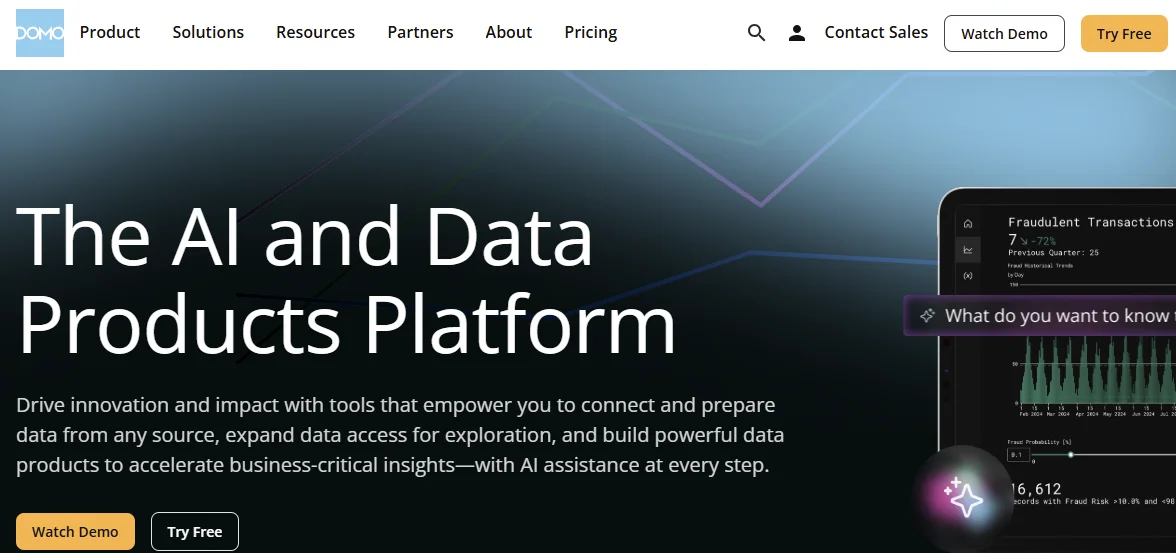
Domo delivers cloud-based analytics with strong mobile capabilities and executive dashboard focus. Leadership teams usually use Domo for high-level KPI monitoring across facilities.
The mobile experience helps executives stay connected to operations while traveling.
Domo excels at surface-level monitoring but struggles with the depth manufacturing teams need for root cause analysis.
Like other legacy BI tools, Domo expects users to work within predefined reports rather than exploring data conversationally.
How Manufacturing AI Data Analytics Software Works
We’ve compared the leading platforms. Now, let’s understand the technology that makes modern analytics agents different from traditional BI:
- Direct Warehouse Connection: Manufacturing analytics tools connect to your cloud data warehouse, where production, quality, inventory, and maintenance data already lives. You don’t need to move or duplicate data.
- Natural Language Processing: Analytics agents use natural language processing, NLP, to understand your questions the way you naturally speak them. “Show me our worst performing machines last quarter” gets translated into the appropriate SQL query automatically.
- Automated Query Generation: AI-driven data analytics platforms compose complex SQL queries that join multiple tables, apply the right calculations, and filter results based on your permissions.
- Explainable Results: Through Zoë’s Citations, every number comes with full data lineage showing which tables, fields, and calculations produced the answer.
How to Choose the Best Analytics Software
Not every analytics tool is built for the realities of the manufacturing sector.
You’ll want a tool that fits the framework below, ensuring you zero in on the one that truly matches your processes and people:
- Assess Your Team’s Technical Skills: Even if users know SQL, legacy BI tools are still inadequate. Technical users also benefit from conversational analytics because it’s faster. If you need to empower plant managers and quality engineers without technical backgrounds, choose an analytics agent platform.
- Consider Question Complexity: Simple reporting needs to work fine in any tool. Questions like “Which combination of suppliers and shifts correlates with our highest defect rates?” require platforms built for exploratory analysis.
- Evaluate Implementation Timeline: Legacy BI demands months of semantic modeling before users see value. Modern platforms deliver insights within days, reducing your timeline and costs.
You can always request a demo from each potential platform to help you shortlist and ultimately choose the most appropriate one.

Common Challenges and How to Overcome Them
Before rolling out any modern data analytics software, you must be aware of the issues that trip most teams. You should address these issues before they derail your project:
- Data Quality Concerns: Most manufacturers worry that their data isn’t clean enough for analytics. Begin with one production line or one plant, prove ROI in 30 days, then expand.
- User Adoption Resistance: Teams comfortable with Excel often resist new tools. Choose a platform with a conversational natural language interface that makes analytics feel more like asking a colleague than learning software.
- Security and Governance Fears: The leadership team might be concerned about users accessing more information than they are authorized to access. Modern platforms apply the same row-level and column-level permissions as legacy BI tools, automatically enforcing access controls on every query. This eliminates the possibility of a user accessing information meant for higher levels.
- AI Trust Standoff: Many users hesitate to rely on AI-generated data analytics unless they can verify how the system arrived at the results. You should look for a tool that shows its work by breaking down data sources, calculations, and assumptions. You want your team to trust and use the outputs instead of second-guessing them.

Frequently Asked Questions (FAQs)
Let’s wrap up with answers to the most common questions manufacturers ask about data analytics software:
How Quickly Does Real-Time AI Update Data?
Analytics agents query your data warehouse directly, so results reflect the freshness of your data pipelines. The AI itself responds within seconds once your data loads.
Is It Possible to Customize Dashboards for Different Manufacturing Plants?
Yes, you can customize dashboards for different manufacturing plants through row-level permissions.
Each plant manager sees only their facility’s data while corporate teams view aggregated results. Analytics agents can apply these permissions automatically.
How Long Does It Take to Fully Implement AI Data Analytics Software?
Analytics agent platforms connect to existing data warehouses in days instead of months. Modern platforms learn your business definitions as teams ask questions.
These aspects make implementation much faster and less costly.
How Much Does Manufacturing Data Analytics Software Typically Cost?
The pricing for data analytics solutions varies by platform and user count.
Legacy BI tools charge per seat plus server costs, while analytics agent platforms typically price based on data warehouse queries and active users.
Conclusion
Your manufacturing team doesn’t have to wait days for answers when production issues demand immediate investigation.
With Zoë as your analytics agent, you can eliminate the disconnect between your data and the people who need it most.
Every quality engineer, plant manager, and operations team can get trusted answers in seconds without SQL knowledge or depending on the data team. So the next time production goes down, you’ll have answers in seconds, not days.
Our explainable AI ensures you trust every insight, while the automated semantic layer maintains consistency across your entire organization.
Your non-data team users also get answers to the hard questions they actually care about, which empowers data-hungry teams across product management, operations, marketing, and sales ops.
While your competitors wait for the analytics agent category to mature, you can gain a decisive advantage now. Start asking Zoë your toughest manufacturing questions today.